
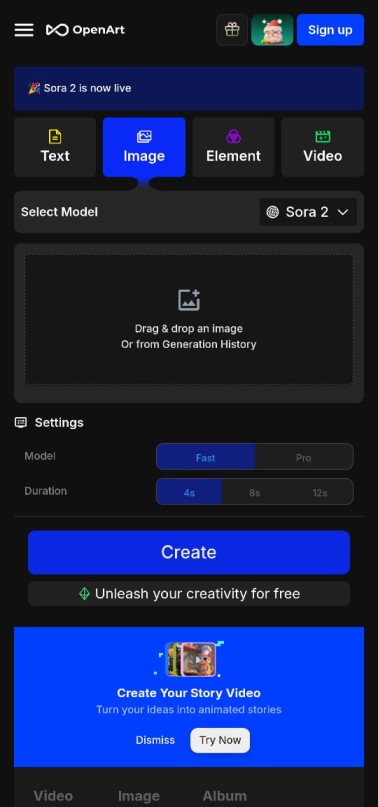
Sora AI is an advanced text-to-video generation model developed by OpenAI. It uses artificial intelligence to create realistic, high-quality videos based on just a few words or a short text prompt. Sora aims to make the video creation process faster, easier, and more accessible to everyone – whether they are content creators, marketers, brands, or everyday users.
Sora AI can generate videos up to 60 seconds long and understands real-world physics, lighting, movement, and details. Its greatest strength is its ability to create incredibly realistic videos.

Key Features of Sora AI
1 Text-to-Video Generation
You can create videos up to 1080p quality by simply typing a line of text.
Example:
A cat is dancing in a neon-lit studio
Sora instantly generates a video from this prompt.
2 High Detail and Photo-Realistic Videos
The videos are so clear and realistic that they often look like footage shot with a real camera.
3 Long-Duration Video Support (Up to 60 seconds)
Many AI models only generate 5-10 second videos, but Sora can create longer videos without interruption.
4 Complex Movement and Cinematic Scenes
It understands camera angles, lighting, facial expressions, object movements – everything.
In other words, the AI understands how the real world works.
5 Image and Video Editing
Sora can also modify existing videos or images, such as:
Changing the background
Changing the shot style
Adding new objects
Removing existing objects
6 Creative Styles
Sora can generate videos in various styles, including photo-realistic, animated, cartoon, 3D, and CGI.
How to use Sora AI?
OpenAI is currently rolling out Sora to users gradually. Once you gain access, this process will work:
Step 1 Go to the Sora AI website
You need to go to the Sora page on OpenAI’s official website.
Step 2 Log in or create a new account
If you already have an OpenAI account (like for ChatGPT), you can log in with it.
If you need to create a new account, follow this process:
How to create an account in Sora AI? 1 Open the OpenAI website
Go to the official website:
1 openai.com
2 Click on Sign Up
Now you will see the option to sign up with your email, Google, or Apple account.
3 Email Verification
An OTP or link will be sent to your email. Verify it.
4 Mobile Number Verification
Then enter your mobile number and verify it with the OTP received.
5 Complete Profile Setup
Fill in basic information such as name, date of birth, etc.
After this, your account will be ready for Sora.
Note: Sora is being gradually rolled out to all users until 2026. Availability may vary depending on your country and account.
How to create videos with Sora AI? (How to make videos in Sora)
Once the account is created, creating videos is very easy.
Step 1 Open the Sora Dashboard
After logging in, the Sora interface opens. Here you will see a text box where you will write the prompt.
For better videos, the clearer the prompt, the better the result.
Examples
A man riding a horse on the beach during sunset, cinematic, slow motion, 4K
or
A cute baby panda eating bamboo in a forest, ultra realistic
Step 3 Generate the video
As soon as you click the ‘Generate’ button, the AI will start creating your video.
This process may take 20–60 seconds. Step 4: Watch the Video Preview
Once the video is ready, you can watch it in the preview.
If you don’t like it, you can change the prompt and generate it again.
How to Download Videos from Sora AI?
Once your video is fully generated, follow these steps to download it:
Step 1: Click the Download Button
The Download option is located below the video preview.
Step 2: Choose the Format
Most videos are downloaded in MP4 format. Step 3: Select the Quality
You can choose 720p, 1080p, or other available qualities.
Step 4: The video will be saved to your device
Now you can use it anywhere – on social media, YouTube, Instagram Reels, etc.
What can Sora AI be used for?
YouTube and Instagram videos
Advertisements
Product promotions
Creating gaming assets
Creating film scenes
Educational and training videos
With the advent of AI, the future of video creation has become even easier.
Conclusion
Sora AI has brought a revolutionary change to the world of video creation. With just a text prompt, you can create high-quality, realistic, and engaging videos. It has become a powerful tool for content creators, marketers, and businesses. In the future, Sora will become even more advanced and completely transform video production. if you went to learn video creartion or advance in content sora AI will prove to veryuseful you